 All in One Practice
Start with intention.
Tune your instrument, find a comfortable tempo, and choose how you want to practice today.
For the music you want to make
Your tuner, metronome, recordings, AI feedback, and practice journal. Together in one thoughtful app.
Made for iPhone & iPad · Practice at your own pace
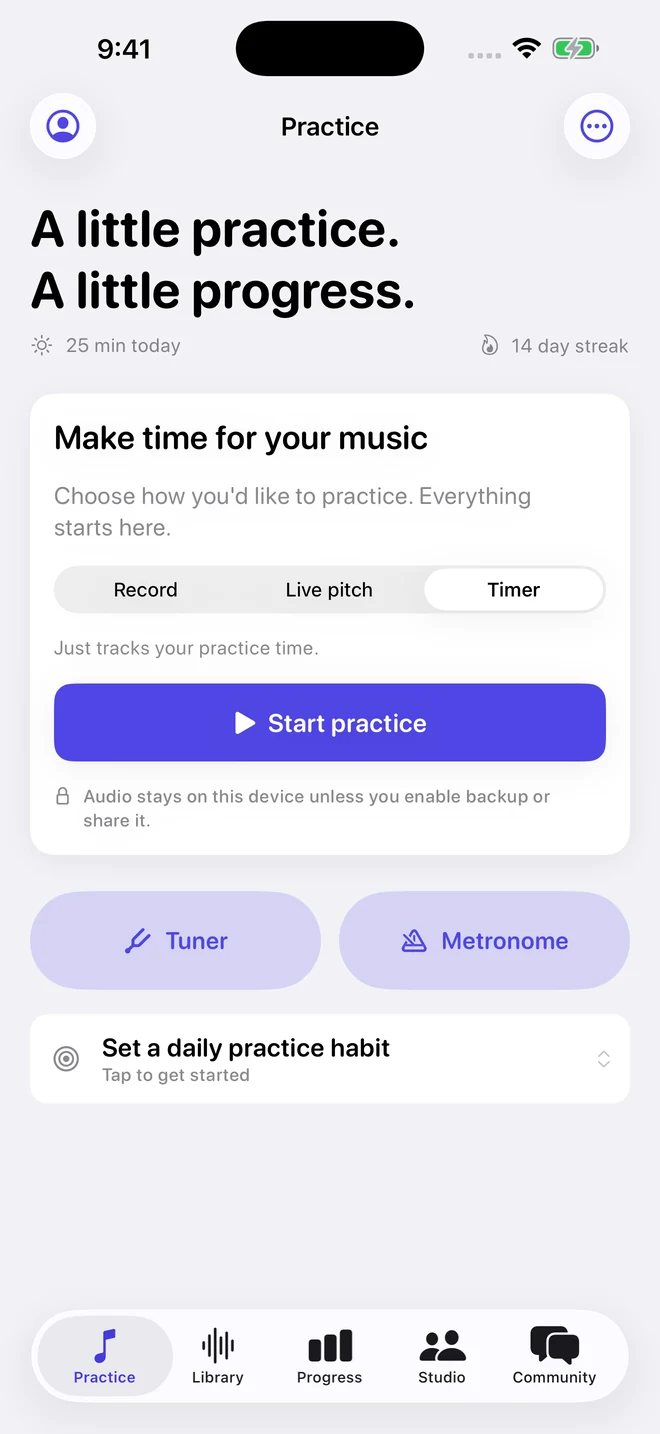
One practice companion. Your instrument.
Small details. Better sessions.
From the first open string to one more run-through, the tools you reach for are right here.
Real screens from the app. Need a hand getting started?
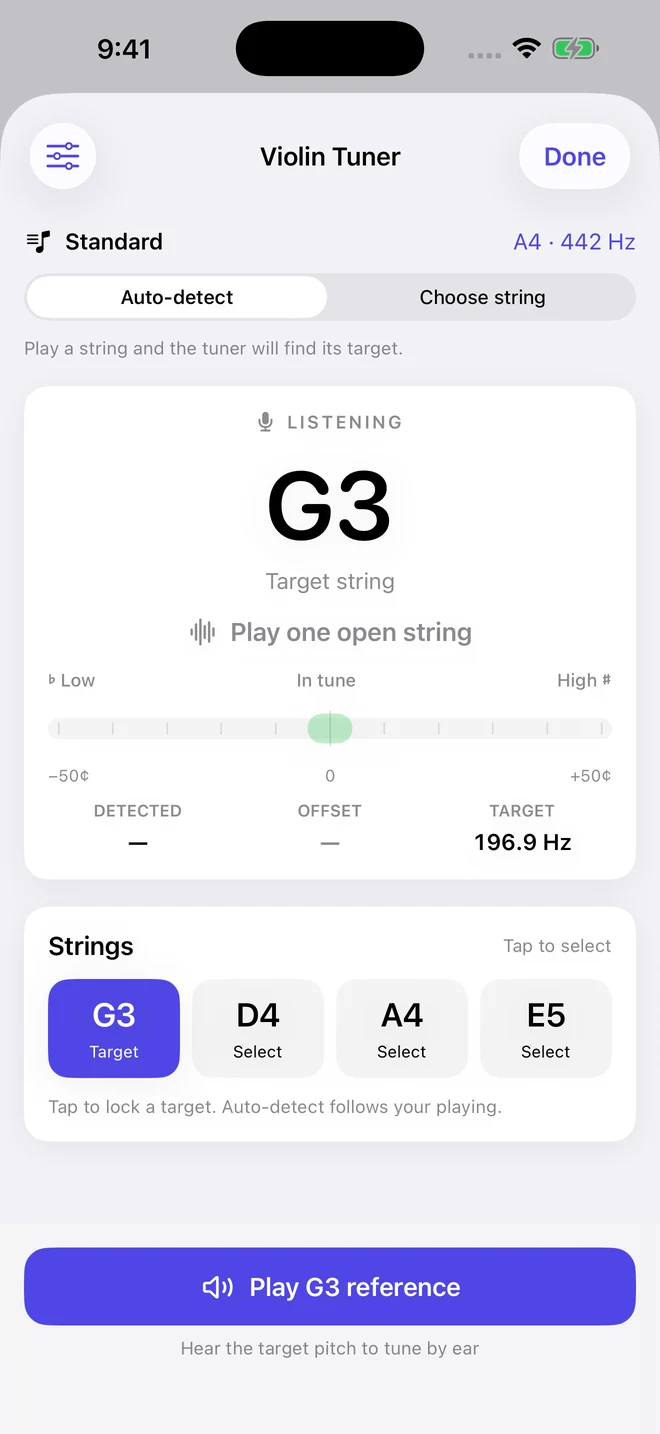
Clear pitch guidance. Adjustable reference pitch. A note map as you play.
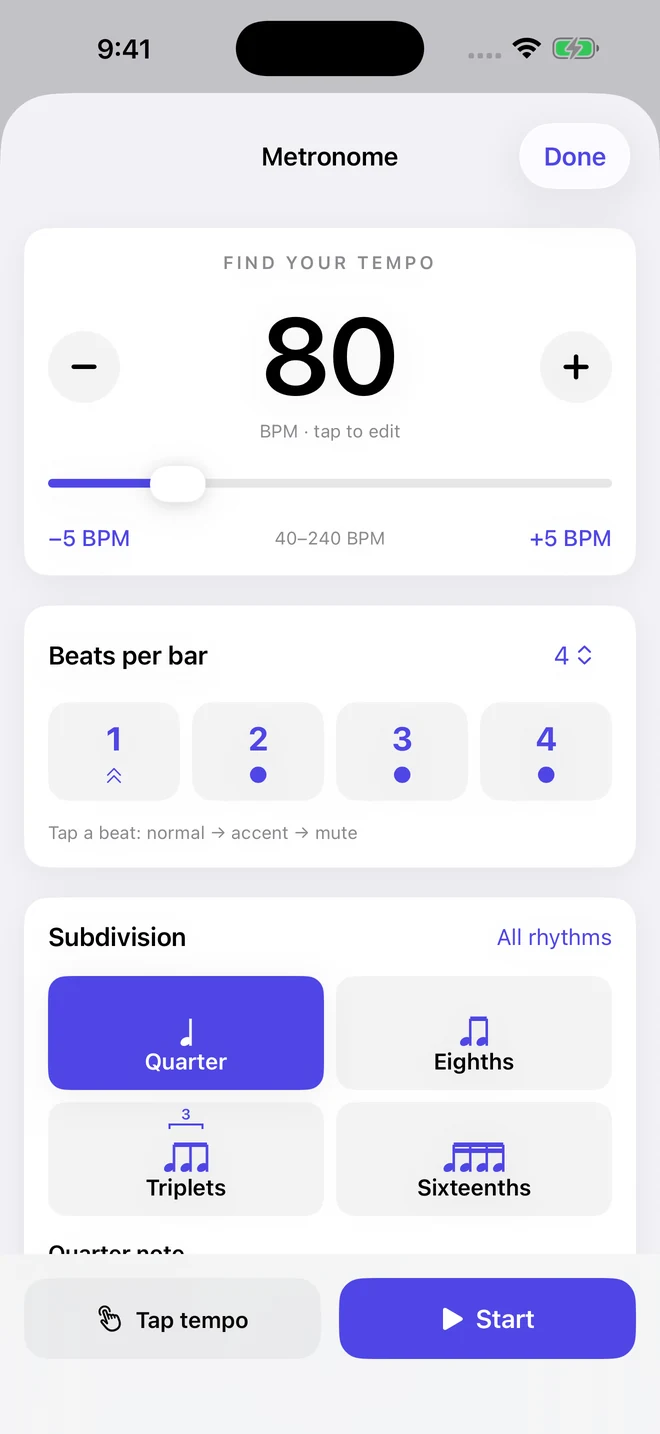
Tap tempo. Subdivisions. Accents and rests.
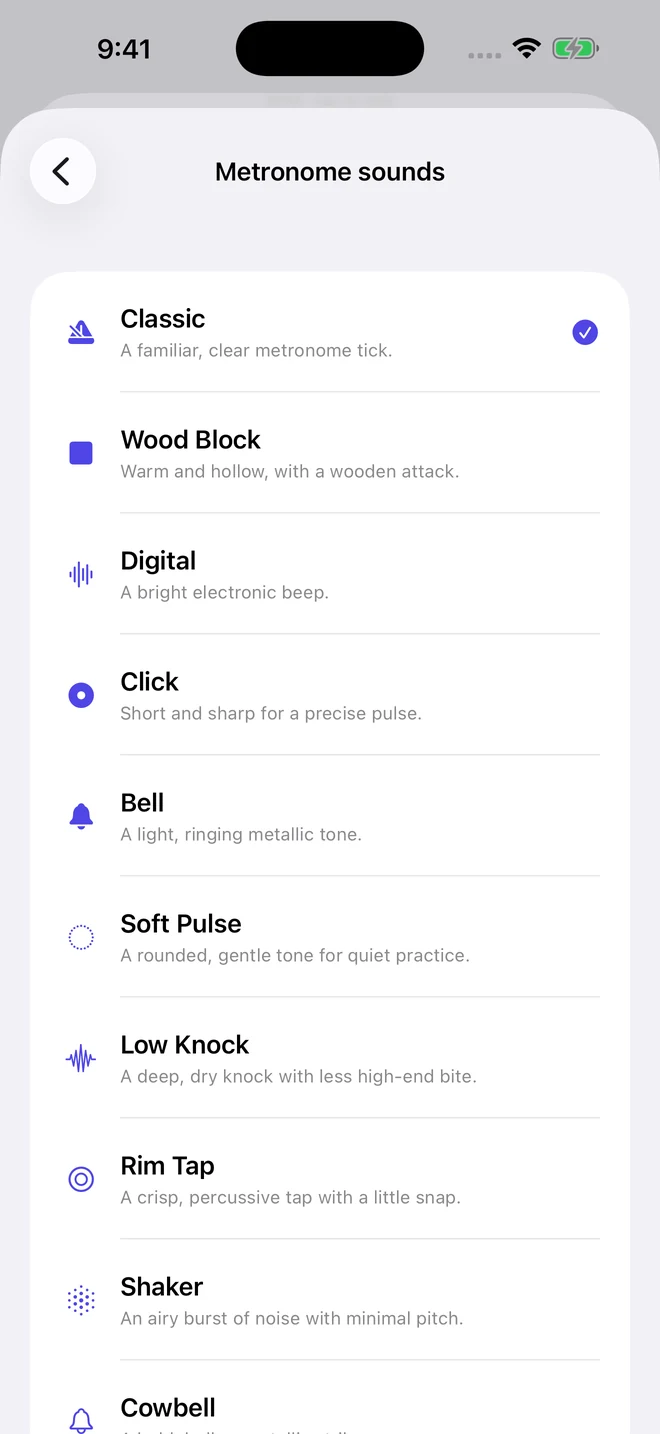
10 distinct sounds for your practice sessions.
Record. Live pitch. Timer. Or import a take from another app.
AI feedback · Pro
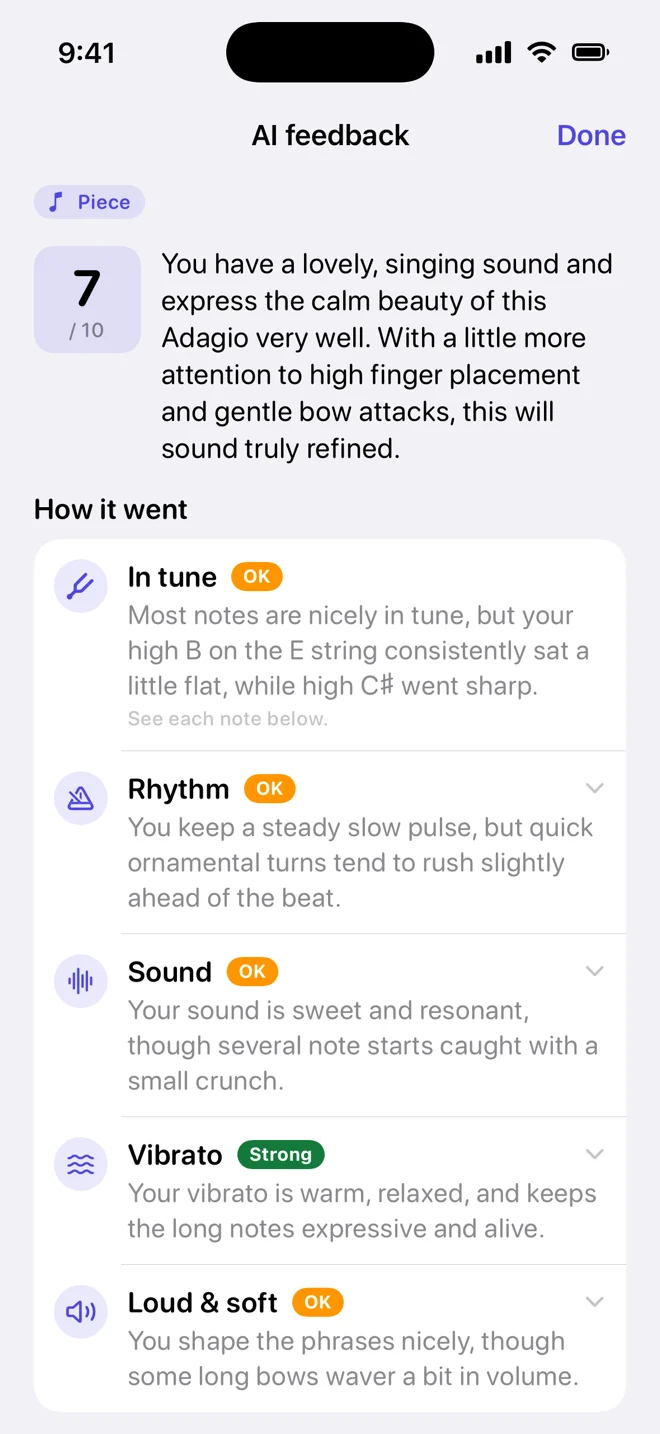
Ask for feedback on a recording and get a clear, kind report in about a minute: what went well, what to fix, and how to practice it.
Pro includes 20 reports a month. Only the section you choose is sent for analysis, and the audio is deleted right after. How AI feedback handles your recordings
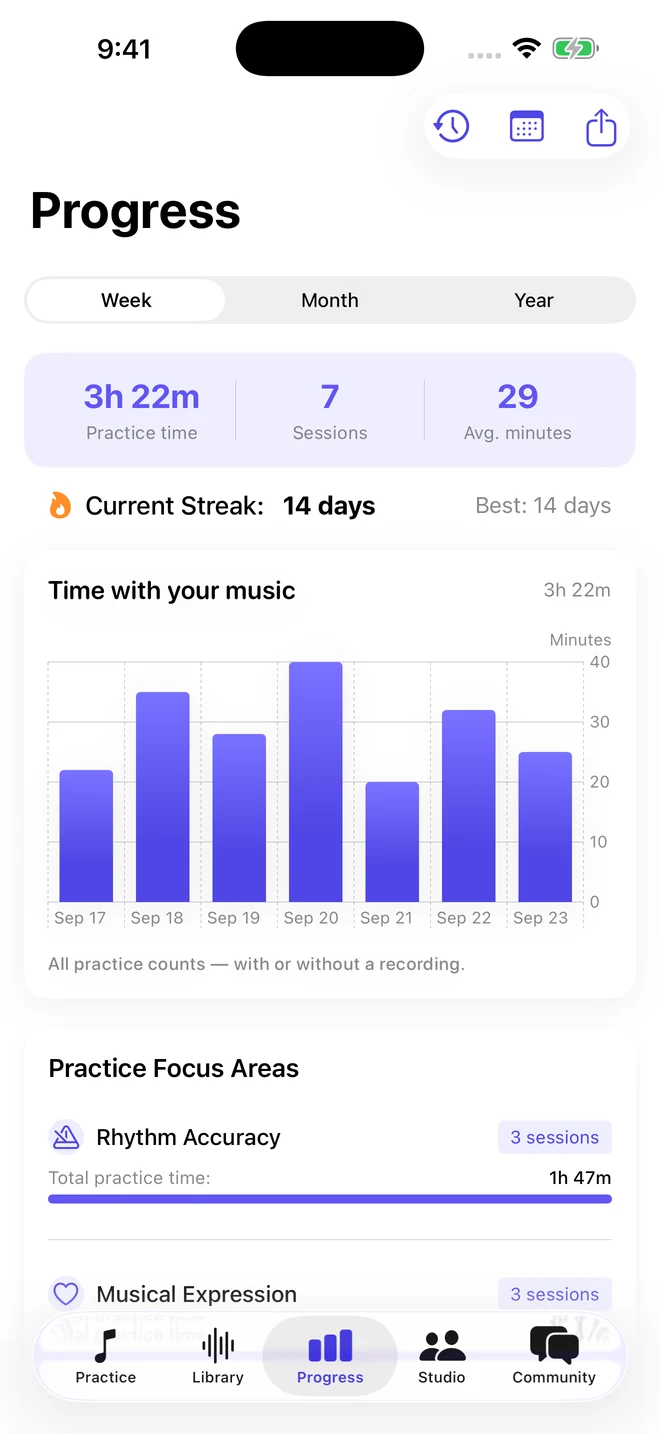
Every session is a step forward
Some days it’s a breakthrough. Some days it’s showing up. Keep a record of both, and see your practice take shape over time.
A practice routine with room to grow
Give your music your attention, and give yourself something to build on next time.
Tune your instrument, find a comfortable tempo, and choose how you want to practice today.
Record a passage and listen again. Leave yourself a note about what felt good and what comes next.
Work with your teacher in Studio, share a recording for feedback, and connect with other musicians.
A few things to know
A little help to get you started.
Visit the help centerAll in One Practice supports violin, viola, cello, double bass, guitar, bass guitar, ukulele, and mandolin. Choose your instrument in Profile → Settings → Instrument to use its tuning options.
No. Choose Timer to track your practice without recording audio, Live pitch to see the notes you play, or Record to save a take you can listen to later.
Yes. All in One Practice is available for both iPhone and iPad. Follow the App Store link for current device and operating-system requirements.
A Pro feature that listens to a recording and gives you a short report: ratings for in tune, rhythm, sound, vibrato, and loud & soft, the notes that need work, and a practice plan. Pro includes 20 reports a month. AI can make mistakes, so use it alongside your teacher and your own ears.
You choose when to share a recording for feedback. Recordings stay on your device unless you enable backup, share them, or ask for AI feedback. AI feedback sends only the section you choose, and the audio is deleted right after analysis. Learn more in our Privacy Policy.
Make a little time for the music you love.